Finish card design & Order Hardware (optional)
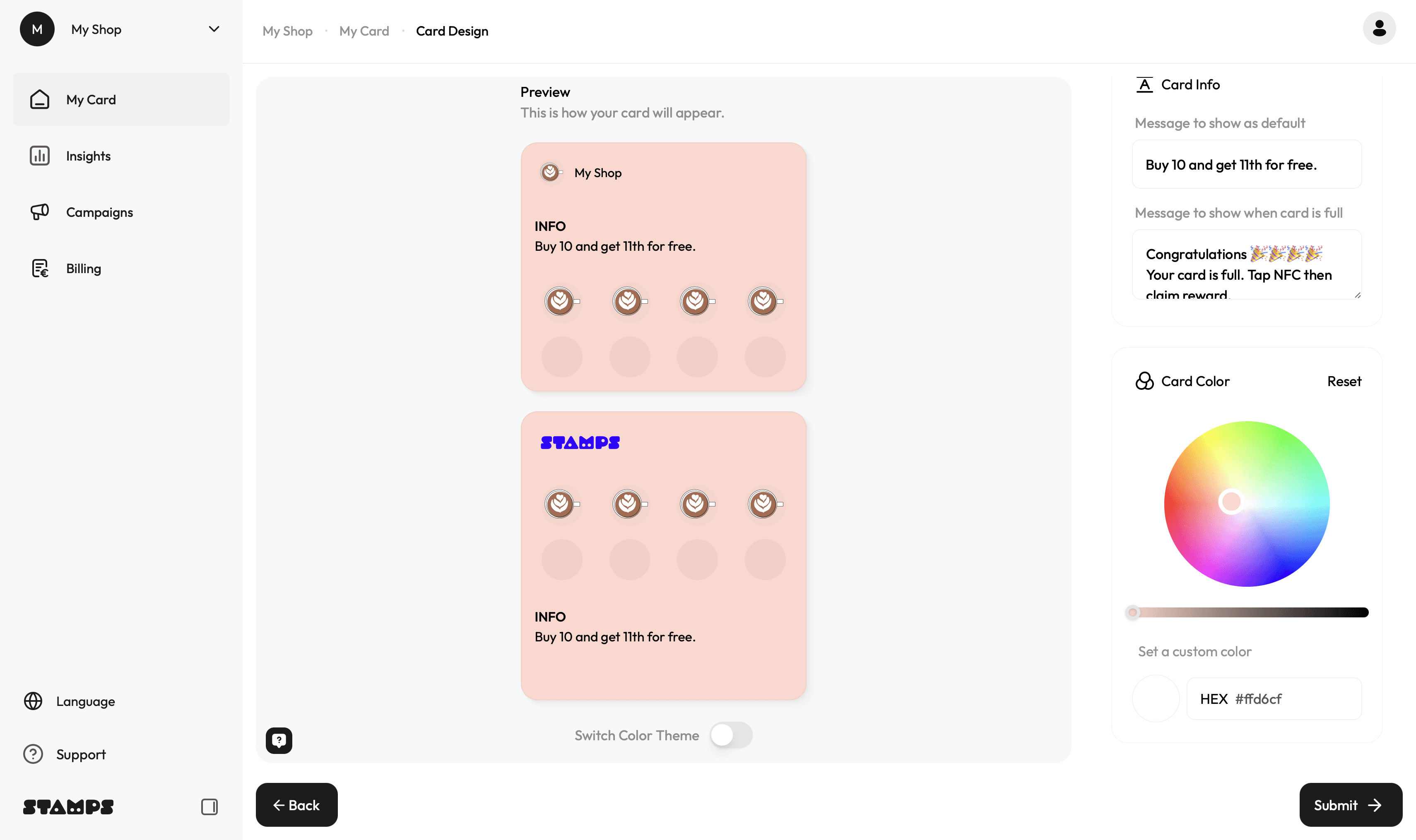
Design Your Loyalty Card
After completing the subscription setup, you will return to your dashboard and can start
designing your card.
In the Card Design Editor you can:
• upload your logo
• choose an avatar icon
• upload your stamp icon
• edit the text displayed on the card
• adjust the number of stamps
• adjust card colors
→ Once done, click Submit.
Order NFC Hardware (Optional)
Next you can order hardware directly from the dashboard.
Available items are:
Stamps Terminal (Wooden NFC stands in black or natural oak) - one wood block is included per location. If you need more than one Stamps terminal per location, please order it here.
Custom branded NFC cards - You can also order custom branded NFC cards if you want the NFC card on the counter to match your brand design. These can be ordered added at any time later, even after you have already started using the system.
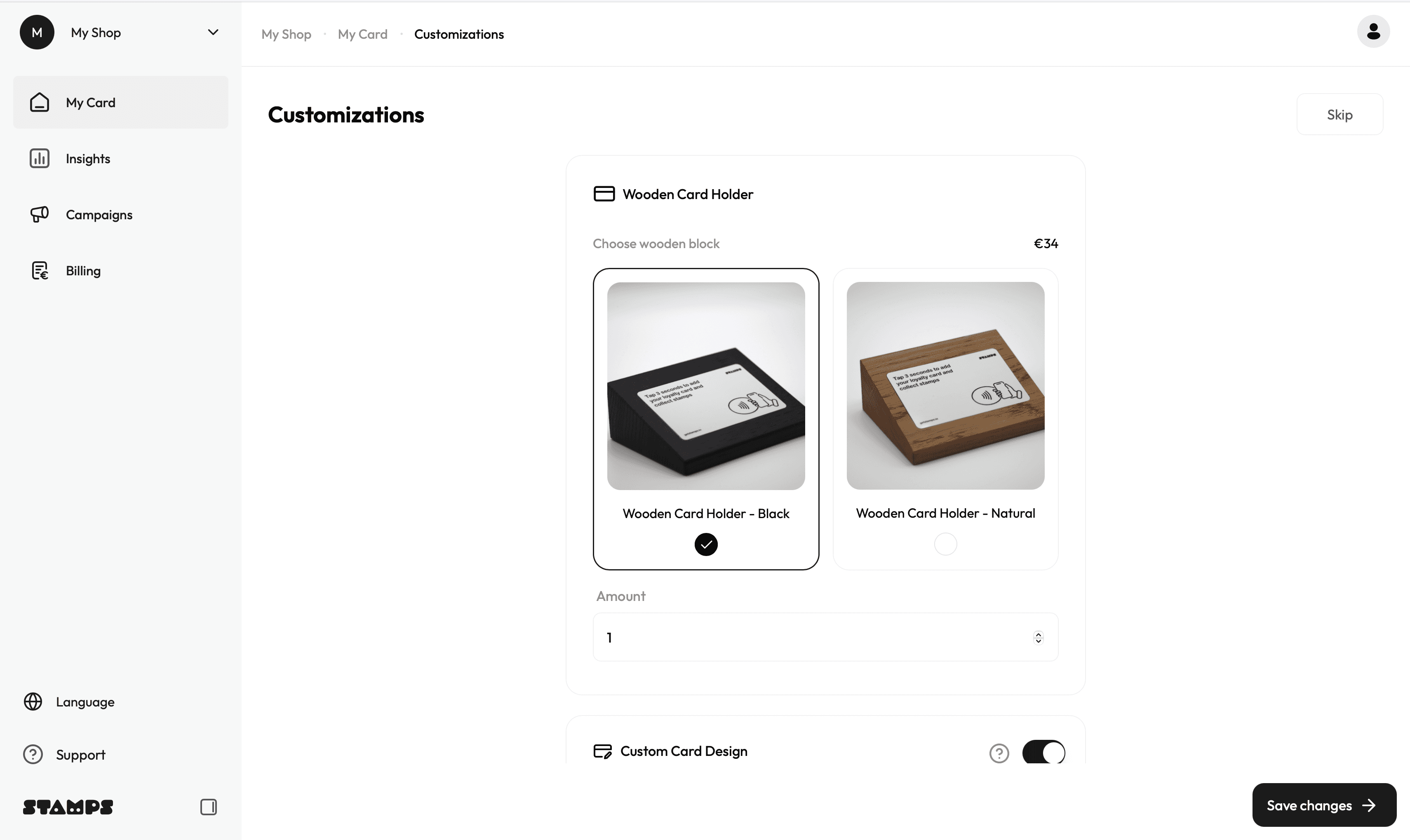
*We recommend ordering at least the wooden NFC stands, as they help present your
loyalty card clearly and visibly on the counter for your customers.
*You can also order custom branded NFC cards if you want the NFC card on the counter
to match your brand design. These can be ordered added at any time later, even after you
have already started using the system.
After placing an order, by clicking Save Changes, you will be redirected to Stripe to
complete the payment.
You can also skip this step and order hardware later.
→ Once your order is completed, we will get notified and get your order ready
Download custom NFC Card Print Design Guidelines: